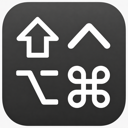
A shortcut reference for Mac
Guide and Support
The version currently in review is in Korean. English labels shown in this guide are for the next update.
Choose the key combinations you use and find them in the menu bar.
Keep your shortcuts organized with custom categories and profiles.
Getting started
- Open the app and click the four-symbol icon in the menu bar.
- Choose what to display in All Shortcuts · Edit.
- Click Save to apply your changes, then Done to return to the list.
Before saving, use Revert Changes to restore the last saved settings. Click outside the window to close the list.
Open with the keyboard
Press these keys in order within 2 seconds, then release them. You can tap each key separately, or hold them in sequence and release them all at the end.
Pressing another key cancels the sequence. Pressing all four keys at once may not register the order. The menu bar icon and keyboard sequence can each be turned off in Settings.
Add multiple shortcuts at once
Open Add or Edit Shortcuts…. Use # for an app group, ## for a category, and name, key combination for each shortcut.
# Photoshop
## Tools
Move tool, v
Brush tool, b
# VS Code
## Navigation
Quick Open, cmd+p
Add + after a modifier name to convert it to a symbol: shift+ → ⇧, ctrl+ → ⌃, opt+ or alt+ → ⌥, and cmd+ → ⌘. For example, cmd+shift+p becomes ⌘⇧p. A bare shift stays as text.
Check the preview and click Save. This also saves any pending settings changes. To enter one shortcut at a time, choose Add One, then Record Shortcut to record a key combination.
You can enter up to 2,000 lines, 1 MB of UTF-8 text, and 4,096 characters per line. Duplicate entries are skipped. Existing custom shortcuts appear in the editor; removing a line deletes that shortcut when you save.
FAQ
How do I reopen the app after hiding its menu bar icon?
Reopen Shortcut Keys from Applications. You can still access settings even if the keyboard sequence is off. Enable Show icon in menu bar in Settings.
What changes between profiles?
Each of the four profiles has its own display selection and name. Shortcut names, key combinations, categories, and appearance settings are shared across profiles.
A displayed shortcut does not match the app I’m using.
Key combinations can vary by app version and keyboard settings. Use the edit button to update the reference. Shortcut Keys displays a list; it does not execute shortcuts or change them in other apps.
Is my list stored online?
Your lists and settings stay on your Mac. The app has no cloud sync, ads, or usage analytics. Read the Privacy Policy for details.
Need help?
Email us with bugs, questions, or suggestions.
soo709043@icloud.comPlease include the app version, macOS version, and steps to reproduce the issue. Hide personal information in screenshots. Do not send passwords or verification codes.