Make it comfortable
Adjust text size, row and column spacing, and background opacity for comfortable reading.
Shortcut Keys for Mac
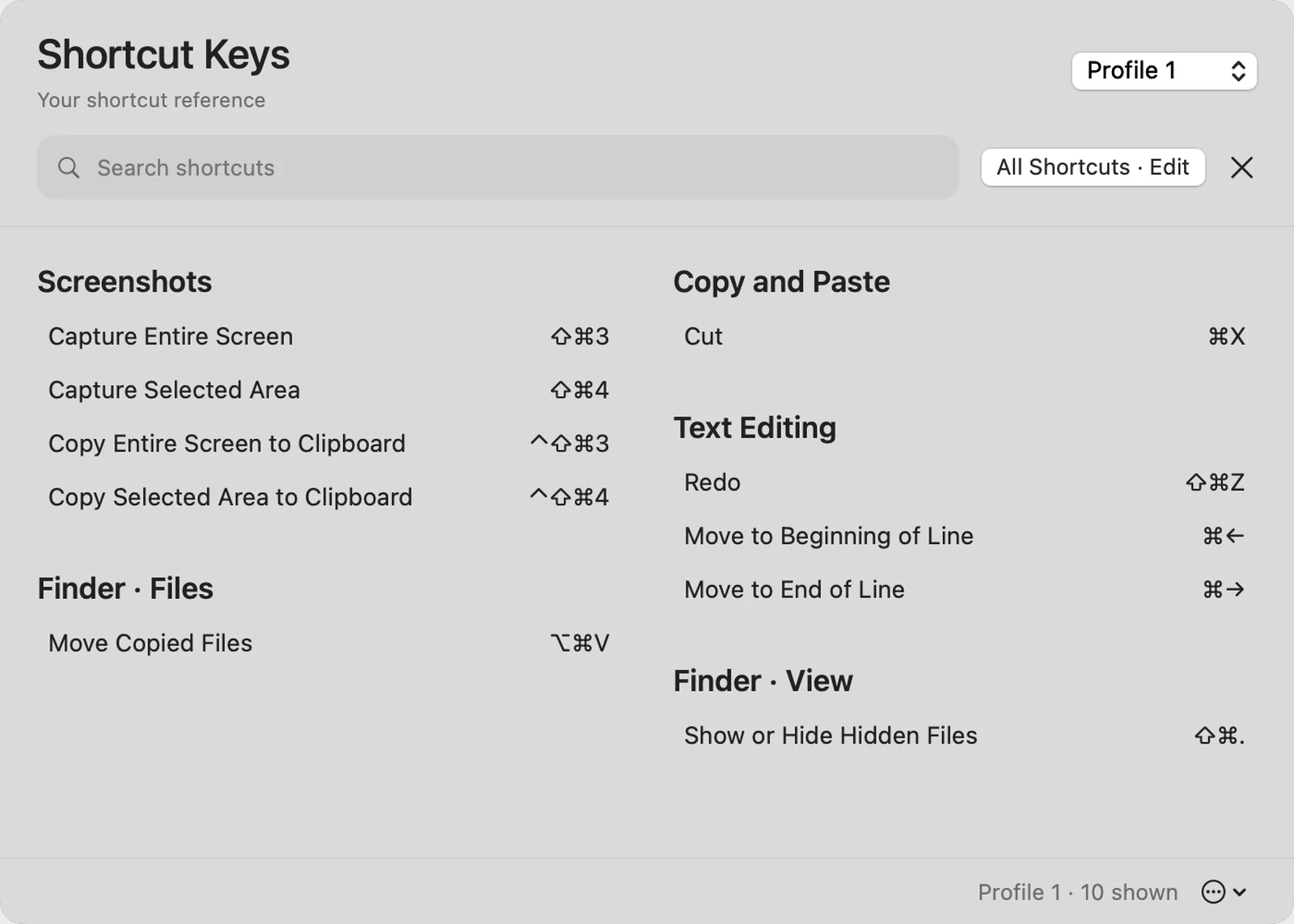
One menu bar click.
Your shortcuts at a glance.
02 / SELECT
Leave out what you don’t use.
Keep your everyday shortcuts easy to find.
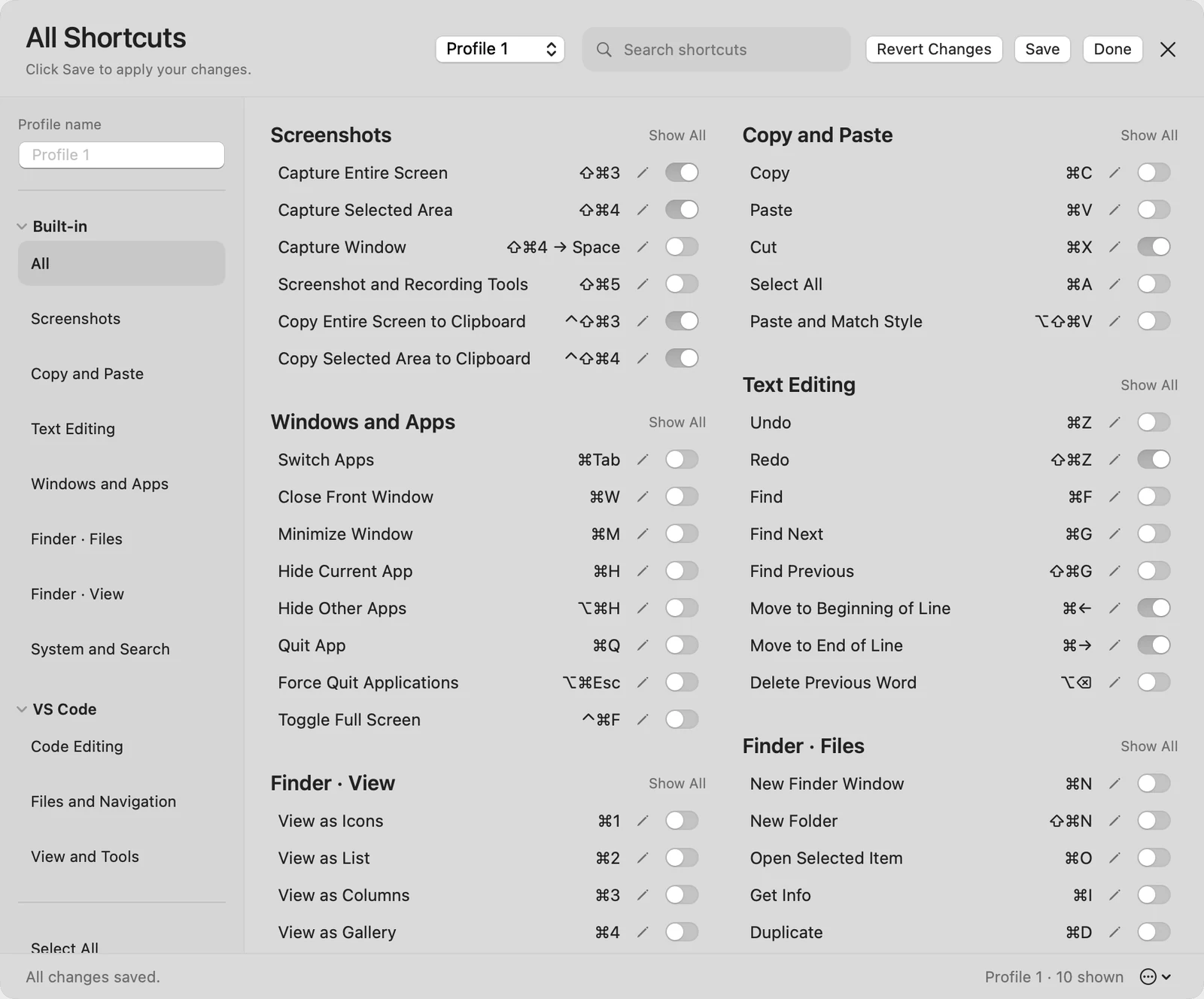
Show or hide individual shortcuts, or select and deselect an entire category at once.
Create a different list for each task. Each profile has its own name and shortcut selection.
Search by name or key combination. No need to scan a long list one item at a time.
03 / CUSTOMIZE
Add shortcuts for the apps you use.
Organize them by app and category to build your own reference.
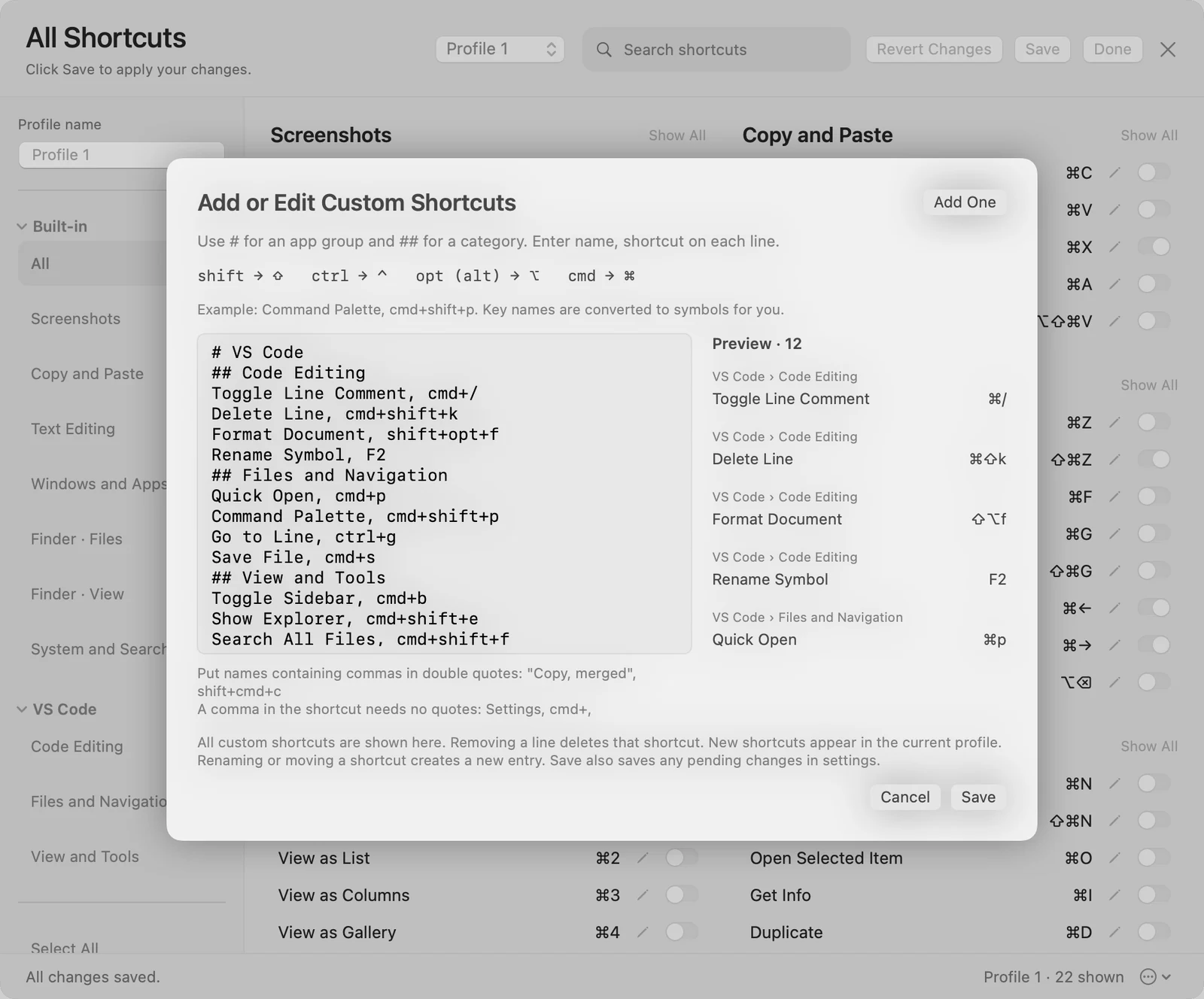
Add + after each modifier name.shift+ → ⇧ · ctrl+ → ⌃ · opt+ / alt+ → ⌥ · cmd+ → ⌘shift stays as text; shift+ becomes a symbol. For example, cmd+shift+p → ⌘⇧p.
Record a key combination for a single shortcut, or paste multiple lines to add a whole list.
Group shortcuts for your favorite apps, such as editing and file navigation in VS Code.
Check names and key combinations in the preview. Save when you’re ready to update your list.
Adjust text size, row and column spacing, and background opacity for comfortable reading.
Your lists, custom shortcuts, and settings stay on your Mac. No account needed.
The version currently in review is in Korean. The next update will add an English interface that follows your Mac’s language settings.
The app is built for macOS 13 or later. Download and release information will appear here when it launches.
Click the Shortcut Keys icon in the menu bar. Or press Shift → Control → Option → Command in order within 2 seconds, then release all keys. You can turn this keyboard sequence on or off in Settings.
It includes a built-in list of macOS and Finder shortcuts. You can add shortcuts for other apps yourself. It does not automatically read the current app’s menus.
It is a reference app that shows key combinations. It does not run commands in other apps or change system shortcuts. Actual combinations may vary by app and settings.
Each of the four profiles has its own name and display selection. Custom shortcut names, key combinations, and categories are shared across profiles. Click Save to apply your changes.
Shortcut Keys is being prepared as a free app. You can choose the shortcuts to display and add your own.
The app is being prepared for release. We’ll add download information here when it is available.
Keep only the shortcuts you need.
Find them right in your menu bar.
Free · macOS 13 or later